






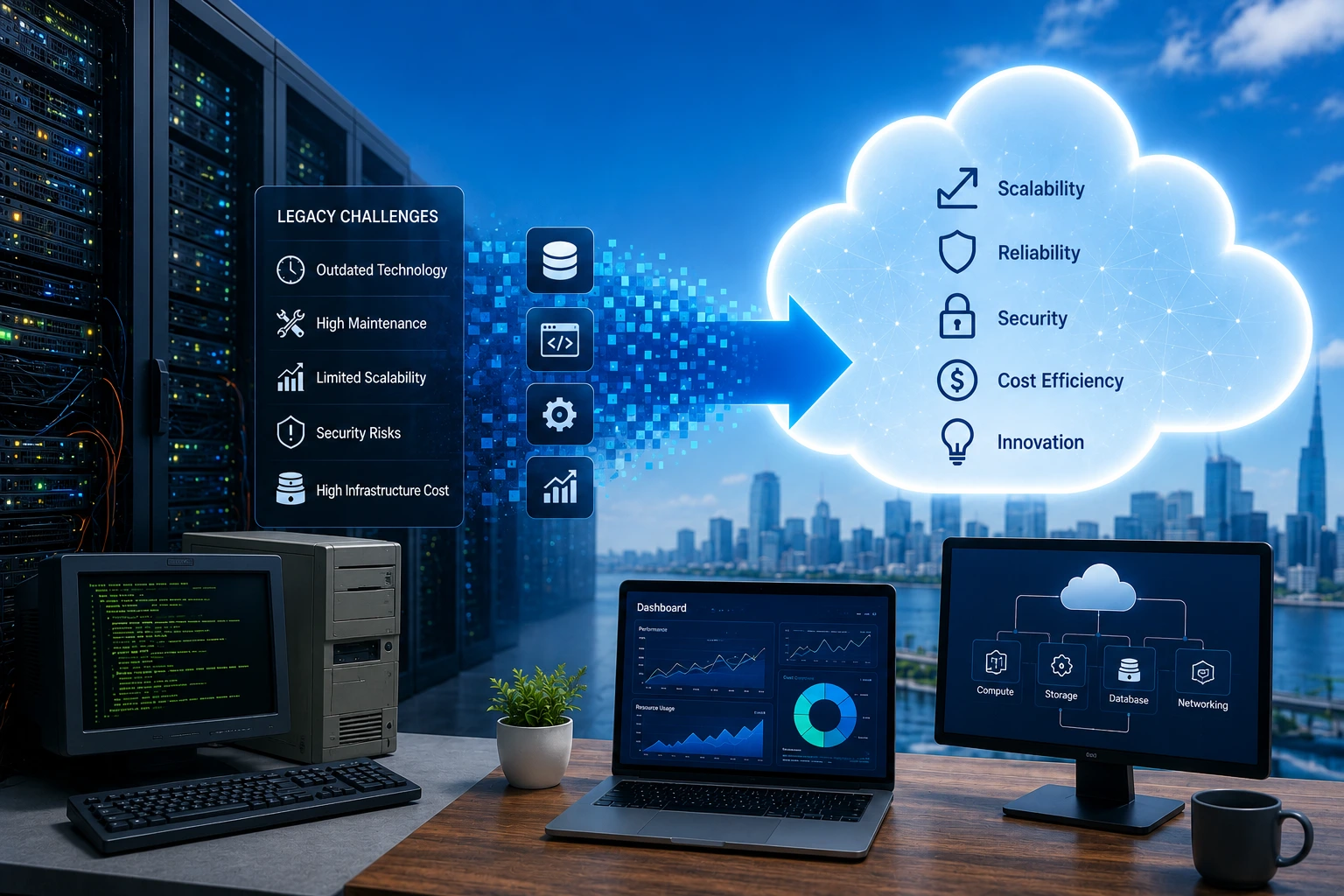
- Legacy application migration improves scalability, security, and long-term business agility.
- A clear migration strategy reduces risks, costs, and unexpected project delays.
- Phased migration minimizes downtime while maintaining business continuity.
- Modernizing legacy applications prepares businesses for future cloud innovation.
- Post-migration optimization maximizes cloud performance and business value.
Organizations relying on legacy systems face growing challenges. High maintenance costs, security risks, and limited scalability can slow business growth.
Migrating legacy applications to the cloud helps overcome these limitations. It enables businesses to modernize outdated systems, reduce technical debt, improve performance, and scale more efficiently.
However, successful cloud migration requires more than moving applications to a new environment. It requires the right strategy, planning, and migration approach.
This blog explores why legacy to cloud migration matters, the challenges it addresses, and how organizations can navigate the migration journey successfully.
Did you know that more than 80% of enterprise workloads are projected to be cloud-based by 2025?
Why Migrate Legacy Applications to the Cloud?
Cloud migration moves applications, databases, and workloads from on-premises environments to cloud platforms, enabling greater scalability, flexibility, and operational efficiency.
For legacy applications, cloud migration modernizes cloud environment without disrupting core business operations. It improves integration with modern technologies, enhances reliability, and creates a foundation for future innovation.
Key Benefits of Cloud Migration
Scale infrastructure on demand to support changing business needs without hardware limitations
Benefit from built-in cloud security, compliance capabilities, and regular platform updates.
Minimize infrastructure maintenance and lower the cost of managing legacy environments.
Integrate with modern cloud services, APIs, and analytics platforms to improve agility and business performance.
Migration Works Best with the Right Architecture
Top 9 Challenges in Migrating Legacy Applications to the Cloud (and How to Fix Them)
Key cloud migration challenges arise from technical incompatibility, data migration complexity, security risks, downtime, and cost management during legacy application migration to the cloud.
Challenge 1: Lack of a Clear Migration Strategy

Successfully migrating legacy applications to the cloud hinges on having a well-defined strategy. Without clear objectives, a structured roadmap, and proper prioritization, the process can quickly become chaotic, resulting in missed deadlines, increased costs, and unmet expectations.
Businesses often find it challenging to determine which applications should be migrated first, how to mitigate risks, and how to ensure alignment with their business goals. This ambiguity can hinder progress and negatively affect the overall success of transitioning legacy systems to the cloud.
A well-defined legacy application migration strategy helps organizations prioritize workloads, reduce risks, and ensure successful legacy to cloud migration.
Challenge 2: Compatibility and Integration Issues

Legacy systems are frequently built on outdated technologies that may not easily integrate with modern cloud environments. Migration from legacy systems to the cloud often reveals compatibility issues, such as mismatched software versions, unsupported features, or conflicting dependencies.
Moreover, integrating legacy applications with newer cloud-based systems, databases, and third-party solutions can necessitate extensive reconfiguration, complicating the migration process.
Migration from legacy systems to cloud often exposes tightly coupled architectures that require replatforming or refactoring.
Migration Challenges Don't Have to Delay Modernization
Challenge 3: Data Security and Compliance Concerns

When moving legacy applications to the cloud, building and securing modern web applications is a top priority. Legacy systems might not comply with the rigorous security standards of contemporary cloud platforms, heightening the risk of data breaches and unauthorized access.
Additionally, organizations must adhere to regulations like GDPR, HIPAA, or CCPA throughout the migration process. Ensuring secure data transfer, implementing strong encryption, and meeting compliance requirements are significant challenges that need to be addressed proactively.
Legacy cloud migration requires strong encryption, identity management, and compliance adherence to protect sensitive data.
Challenge 4: Application Downtime During Migration

One of the primary concerns when transitioning legacy systems to the cloud is reducing application downtime. Migration processes often necessitate temporary interruptions, which can disrupt business operations, impact user experiences, and result in revenue losses.
Proper coordination of cloud migration is essential to maintain application availability and recovery readiness while preserving critical functionalities, requiring thorough planning and execution.
Migrating legacy systems to cloud requires phased execution and careful planning to minimize downtime and disruption.
Downtime Is a Planning Problem, Not a Cloud Problem
Challenge 5: Performance Optimization in the Cloud

Applications that are migrated from legacy systems typically need optimization to fully take advantage of the cloud’s benefits, including scalability, speed, and high availability.
However, if applications are not optimized properly, it can lead to higher costs, underutilized resources, and deficient performance in the cloud environment. It is vital to re-architect or fine-tune legacy applications to align with cloud infrastructure to achieve operational efficiency and cost-effectiveness.
Migrating applications to cloud without optimization can lead to increased costs and performance inefficiencies.
Challenge 6: Skill Gaps and Lack of Expertise

Migrating legacy applications to the cloud requires specialized knowledge in cloud architecture, security, and application modernization. Many organizations do not have the necessary in-house expertise to manage these complex processes, resulting in a greater dependence on external consultants or service providers.
Bridging this skill gap is essential for ensuring a smooth migration, effective resource utilization, and successful outcomes.
Organizations often rely on legacy application migration services to bridge skill gaps and ensure successful execution.
Plan Your Legacy-to-Cloud Journey with Confidence
Challenge 7: Cost Overruns and Budget Management

Cloud migration projects frequently go over budget due to unexpected costs, such as the need to rearchitect applications, upgrade outdated systems, or manage unforeseen delays.
Moving legacy systems to the cloud also incurs ongoing operational expenses, including cloud service fees and maintenance. To avoid budget overruns and keep the project financially sustainable, it is essential to implement effective budgeting, cost tracking, and resource allocation.
Legacy to cloud transformation requires proactive cost monitoring and optimization to prevent budget overruns.
Challenge 8: Legacy Architecture Limitations

The inflexible and outdated architecture of legacy systems presents considerable challenges during the migration process. These systems were not built to function in a cloud environment, often necessitating extensive reengineering or replatforming to achieve compatibility.
Addressing these limitations requires substantial effort and resources, which can extend the timeline and complicate the migration from legacy systems to the cloud.
Legacy application replatforming or refactoring is often necessary to enable successful cloud adoption.
Challenge 9: Ensuring Business Continuity

Keeping business operations running smoothly during the migration of legacy applications to the cloud is a vital concern for organizations. Any interruptions can result in customer dissatisfaction, decreased productivity, and revenue loss.
Effectively balancing migration activities with ongoing business operations demands careful planning, strong fallback strategies, and a well-structured transition plan to maintain business continuity throughout the process.
Moving from legacy systems to cloud computing requires strong fallback strategies and phased execution to ensure continuity.
How Large-Scale Migration Works in the Real World
Best Practices for Successful Cloud Migration
These best practices outline how to migrate legacy applications to cloud using a structured and low-risk approach, ensuring successful legacy to cloud migration and long-term scalability.

Establish Clear Objectives for Migration
Setting clear goals is an essential first step in transitioning from legacy systems to the cloud. Understanding the reasons for the migration creates a solid foundation.
Defining clear goals is a critical part of any legacy application migration strategy, helping organizations align business outcomes with cloud adoption.
Common objectives include reducing operational costs, improving scalability, increasing agility, and taking advantage of advanced services like . Aligning these goals with broader business objectives, such as enhancing time-to-market or supporting hybrid work environments, ensures a strategic focus.
Select the Right Migration Strategy
Selecting the right approach is essential for a successful migration to Microsoft cloud solutions. Common strategies include:
- Lift-and-Shift (Rehosting): Move applications with minimal changes
- Replatforming: Adjust applications for Azure compatibility
- Repurchasing: Replace applications with SaaS like Microsoft 365
- Refactoring: Redesign applications for cloud-native scalability
- Retiring: Remove applications that no longer add value
Conduct a Comprehensive Assessment
Carefully assessing the current infrastructure is vital before migrating from a legacy system to the cloud. This involves examining applications, data storage, and dependencies to identify the best migration strategies.
Assessing current systems and dependencies is a key step when migrating legacy applications to cloud, helping identify risks, complexities, and migration priorities.
In sectors like healthcare and finance, adhering to strict data protection regulations is critical. Evaluating compliance and security requirements beforehand helps pinpoint potential challenges and facilitates a smoother transition to cloud platforms.
Emphasize Security and Compliance
When migrating to Microsoft cloud solutions, ensuring data security and regulatory compliance is crucial. Modernizing applications for the cloud requires strong measures such as identity and access management, multi-factor authentication, and data encryption, both during transmission and while stored.
Security and compliance are critical in legacy cloud migration, ensuring protection of sensitive data and adherence to industry regulations.
By prioritizing these protective measures, you can safeguard sensitive data throughout the migration journey.
Over 60% of Data Breaches Are Linked to Outdated or Unpatched Systems
Adopt a Phased Migration Approach
Migration from legacy systems to the cloud is most effective when done in phases. Start with less critical workloads to reduce risk, then gradually move to more complex applications.
Migrating legacy systems to cloud in phases helps reduce downtime, manage risks, and ensure business continuity throughout the migration process.
This approach ensures continuity, minimizes disruptions, and allows teams to become familiar with cloud tools such as Azure services. Testing and validation at each phase help identify performance issues and support a smooth transition.
Optimize Costs Through Proactive Management
For example, migrating to Microsoft cloud services does not guarantee cost savings without careful oversight. Utilize monitoring tools like Azure Cost Management to keep an eye on expenses and enhance resource usage.
Effective cost management is essential during legacy to cloud transformation to avoid unexpected expenses and optimize cloud resource utilization.
Setting up cost alerts, pinpointing underutilized resources, and taking advantage of pricing options such as reserved or spot instances can lead to significant savings. Ongoing monitoring helps businesses get the most out of their migration investment.
Prioritize Post-Migration Optimization and Training
Moving to the cloud is just the first step. Ensuring optimal performance after migration is crucial for applications to run smoothly on platforms like Azure cloud services.
Adjusting configurations can help lower latency, boost reliability, and enhance user experience. Training teams on Microsoft cloud tools and services is equally vital.
Post-migration optimization is essential after migrating applications to cloud to ensure performance, scalability, and long-term efficiency.
Well-trained staff can manage operations more efficiently, address issues swiftly, and avoid unnecessary costs. Microsoft’s certification programs provide teams with the knowledge needed for long-term cloud success
Conclusion
Moving from legacy systems to the cloud is a crucial step in modernizing operations and securing future growth. By taking a strategic approach, tackling challenges head-on, and prioritizing optimization after migration, companies can fully leverage the benefits of the cloud.
Legacy to cloud migration enables organizations to modernize legacy applications, improve scalability, enhance performance, and drive long-term business value.
This shift is not merely about adjusting to change; it’s about fostering innovation, improving scalability, and establishing a sturdy base for future achievements. The cloud enables organizations to function with increased agility, efficiency, and resilience in a constantly changing digital environment.
Talk to Cloud Migration Experts Before Legacy Risk Escalates
FAQs
What is migrating an application to the cloud?
Migrating an application to the cloud is the process of moving applications, data, and workloads from on-premises infrastructure to cloud environments to improve scalability, performance, and security.
What are the challenges in migrating legacy applications to cloud?
Common challenges include technical incompatibility, data migration complexity, security risks, application downtime, cost overruns, and lack of expertise. These legacy system migration challenges can impact performance and business continuity if not handled properly.
How to migrate legacy applications to cloud?
To migrate legacy applications to cloud, organizations typically assess current systems, define a legacy application migration strategy, choose the right migration approach, execute in phases, and optimize performance after migration.
What are the 5 R's of cloud migration?
The 5 R’s of cloud migration include Rehost, Replatform, Refactor, Repurchase, and Retire. These approaches help organizations choose the best path for legacy application migration to cloud based on complexity and business goals.
What are the 7 strategies for migrating applications to the cloud?
The 7 strategies include Rehost, Replatform, Refactor, Rearchitect, Rebuild, Replace, and Retain. These strategies provide flexibility for migrating legacy applications to cloud depending on business and technical requirements.
What are the 7 steps of cloud migration?
The typical steps include assessing current systems, planning the migration, selecting the right tools, executing migration, testing, optimizing performance, and monitoring post-migration outcomes.
Is migrating legacy applications to cloud worth it?
Yes, migrating legacy applications to cloud improves scalability, reduces infrastructure costs, enhances security, and enables better integration with modern technologies, making it a valuable long-term investment.
How does HexaCorp help in legacy application migration to cloud?
HexaCorp supports legacy application migration to cloud through system assessment, migration strategy planning, application modernization, and cloud transformation services to ensure a smooth and efficient transition.
