







Key Takeaways
- Azure AI readiness goes beyond cloud adoption. It depends on data, infrastructure, and security alignment
- Most AI initiatives fail due to gaps in data, governance, and scalability not models
- An azure ai readiness assessment helps identify gaps across cloud, data, AI, and operations
- AI readiness requires continuous evaluation, not a one time setup
- A well aligned environment enables faster AI scaling and better outcomes
Why Most Azure Setups Still Struggle to Support AI Initiatives?
According to Gartner, only 53% of AI projects make it from prototype to production, highlighting a major gap between experimentation and real-world impact.
Moving to the cloud was supposed to simplify everything.
For many organizations, it wasn’t.
Azure cloud adoption has grown rapidly, yet scaling AI remains a challenge. Teams experiment with pilots, build proof-of-concepts, and even deploy initial models, but struggle to take AI into production at scale.
The reason is simple: Cloud adoption does not equal AI readiness.
Cloud adoption provides infrastructure, but AI readiness requires aligned data, scalable architecture, governance, and operational maturity to successfully deploy and scale AI workloads.
Many environments are built for applications, not AI. Data remains fragmented. Infrastructure lacks the flexibility needed for AI workloads. Governance is often an afterthought.
Organizations that approach Azure with clarity are better positioned to bridge this gap early and avoid rework later.
In practice, this means assessing your environment across infrastructure, data, and governance before scaling AI, not after failures occur. Early alignment reduces rework, improves deployment success rates, and accelerates time to value.
AI Reality Check
Only 53% of AI projects move beyond prototype
Most failures are due to data, governance, and scalability gaps
Cloud adoption alone does not guarantee AI success
What “AI Readiness” Really Means in an Azure Environment
AI readiness is often misunderstood as tool availability.
In reality, it is about ecosystem alignment.
Azure AI readiness refers to how well your cloud environment is prepared to support AI workloads across infrastructure, data, security, and operations to ensure scalability, reliability, and performance.
An organization may have access to advanced AI tools but still lack the environment required to support them effectively.
Strategic readiness vs Environment readiness
Many organizations define AI strategies but fail at execution.
AI strategy focuses on defining business goals and use cases, while AI readiness ensures the environment can technically support those goals. Without readiness, even well-defined AI strategies fail in execution.
The missing piece is environment readiness, to ensure infrastructure, data, security, and operations are aligned to support AI workloads.
An AI-ready Azure setup includes:
- Scalable and flexible infrastructure
- Clean, accessible, and governed data
- Integrated AI and analytics services
- Continuous monitoring and governance
These components together form the core layers of AI readiness in Azure, ensuring that AI solutions can be developed, deployed, and scaled effectively across the organization.
To operationalize this, organizations should standardize resource architecture, establish governed data pipelines, integrate AI services with core systems, and implement continuous monitoring from day one.
Organizations leveraging Azure effectively for business innovation ensure that cloud capabilities are closely aligned with measurable business outcomes, enabling agility, scalability, and growth.
AI doesn’t fail because of models. It fails because the environment isn’t ready to support it.
A Practical Azure AI Readiness Assessment Framework
AI readiness is not a single step, and it is a combination of capabilities.
A structured azure ai readiness assessment checklist helps evaluate readiness across five critical layers:
- Cloud foundation
- Data readiness
- AI services
- Security and governance
- Operational readiness access policies
These five layers represent the standard framework used to assess Azure AI readiness and identify gaps that can impact AI deployment success.
This layered approach ensures that no critical component is overlooked.
More importantly, it provides a step-by-step way to identify bottlenecks, prioritize fixes, and build readiness incrementally rather than attempting large-scale changes all at once.
An Azure AI readiness assessment evaluates infrastructure scalability, data quality, AI capabilities, governance, and operations to determine whether the environment is ready for AI workloads.
Organizations often align with this assessment with broader cloud planning to ensure readiness before scaling AI initiatives.
1
Cloud Foundation: Can Your Azure Setup Handle AI Workloads?
AI workloads are fundamentally different from traditional applications.
They require:
- High-performance compute
- Scalable storage
- Flexible resource allocation
Preparing Azure for AI workloads requires designing scalable compute environments, separating workloads effectively, and planning capacity based on AI processing demands rather than traditional applications.
Structuring resources for scalable AI workloads: Without proper resource hierarchy and architecture, AI systems struggle to scale efficiently.
Avoiding infrastructure bottlenecks before AI deployment: Early infrastructure limitations can delay or completely block AI initiatives. Optimizing performance through cloud infrastructure ensures that your Azure environment can support growing AI demands.
A practical approach includes using scalable compute clusters, separating workloads through proper resource grouping, and planning capacity based on expected AI model usage patterns rather than traditional application loads.
2
Data Readiness: Is Your Data Actually Usable for AI?
AI is only as good as the data it learns from.
Yet most organizations confront:
- Data silos
- Inconsistent formats
- Limited accessibility
One of the most common AI readiness gaps is poor data quality or fragmented data, which directly impacts model accuracy and AI outcomes.
Eliminating data silos across systems: Disconnected systems prevent AI from accessing complete, reliable datasets.
Building pipelines AI relies on: Strong data pipelines ensure that AI models receive accurate and timely data. Adopting robust data ingestion strategies plays a critical role in enabling reliable AI workflows.
This typically involves centralizing data sources, standardizing formats, and implementing automated pipelines that ensure consistent, real-time data availability for AI models.
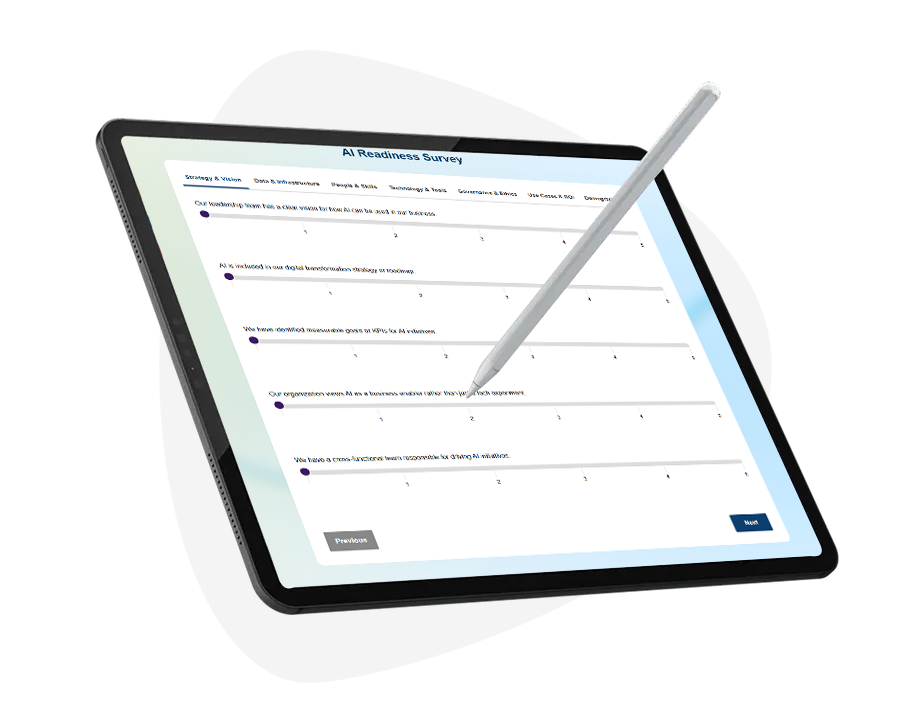
Need Expert Support to Prepare Your Azure Environment for AI?
Build a scalable, secure, and AI-ready cloud foundation aligned with your business goals.
3
AI Services Layer: Are You Ready to Build and Deploy AI Models?
Azure provides powerful AI capabilities, but readiness depends on how they are used.
Organizations must ensure:
- Integration with data systems
- Proper deployment pipelines
- Scalable AI services
Azure AI readiness also depends on the ability to integrate AI services like Azure Machine Learning and data platforms into business workflows for production-level deployment.
Microsoft CoPilotCapabilities highlight how AI services can be embedded directly into business workflows, but only when the environment supports it.
To achieve this, organizations should establish deployment pipelines, integrate AI services with existing applications, and adopt MLOps practices to manage model versioning, monitoring, and continuous improvement.
4
Security and Governance: Is Your AI Environment Protected by Design?
AI introduces new risks.
- Data exposure.
- Model bias.
- Unauthorized access.
Security and governance play a critical role in AI readiness by ensuring controlled access, compliance, and risk management across AI systems and data usage.
Strengthening identity and access controls: Robust identity frameworks such as Entra ID ensure controlled access to AI systems.
Managing data exposure and model risks: AI governance must address not just data, but how models behave and evolve. Well-established Azure security practices help organizations secure AI deployments from the start.
This includes implementing role-based access controls, enforcing data classification policies, and continuously auditing AI usage to ensure compliance and minimize operational risk.
5
Operational Readiness: Can You Monitor, Scale, and Sustain AI?
AI is not a one-time deployment.
It requires continuous monitoring, scaling, and optimization.
Without operational readiness, organizations cannot scale AI effectively, leading to unstable systems, inconsistent outputs, and failed AI initiatives.
Monitoring performance and usage across AI workloads
Without visibility, AI systems become unpredictable.
Organizations must track:
- Model performance
- Resource usage
- Output consistency
Implementing cloud monitoring best practices ensures that AI operations remain stable and scalable over time.
Establishing feedback loops, automated alerts, and performance benchmarks allows teams to continuously refine AI systems and maintain reliability as workloads grow.
Real-World AI Readiness in Action
A Quick Self-Check: Where Does Your Azure Environment Stand Today
Ask yourself:
- Can your infrastructure scale AI workloads dynamically?
- Is your data unified and accessible?
- Are your AI services integrated with business systems?
- Do you have governance controls in place?
- Can you monitor and optimize AI continuously?
f gaps exist in any of these areas, it indicates that your Azure environment is not fully AI-ready and requires structured improvements before scaling AI initiatives.
Many organizations align this evaluation with broader strategies of IT infrastructure management, ensuring consistency, visibility, and control across systems.
If gaps exist in any of these areas, the next step is to prioritize them based on business impact and address them through a structured readiness roadmap.
Bringing It All Together: How to Evaluate Your Azure AI Readiness
AI readiness is not about checking boxes, it is about identifying gaps.
Organizations must:
- Assess all five layers together
- Prioritize critical gaps
- Align improvements with business goals
Ignoring AI readiness often results in failed deployments, increased costs, and inability to scale AI solutions effectively across the organization.
This often involves starting with high-impact areas such as data readiness or infrastructure scalability, where improvements can unlock immediate value for AI initiatives.
A structured approach, combined with a well-defined cloud migration and modernization strategy, enables organizations to move beyond fragmented environments. By modernizing legacy systems, optimizing cloud architecture, and aligning workloads with AI requirements, businesses can build a scalable, resilient foundation for AI adoption.
This shift ensures that AI initiatives are not isolated from experiments, but part of a broader, integrated transformation journey that delivers measurable outcomes.
From Readiness to Real AI Outcomes: What Changes Next
When Azure environments are truly AI-ready, the impact is immediate.
- AI initiatives scale faster.
- Decisions become data-driven.
- Operations become more efficient.
Organizations shift from experimentation to execution.
AI-ready environments enable organizations to move from isolated AI experiments to production-scale deployment, unlocking measurable business value.
They begin to unlock real business value, improve efficiency, enhance customer experiences, and accelerate innovation.
This transformation is driven not by isolated AI efforts, but by a well-prepared environment that consistently supports experimentation, deployment, and scaling.
Many of these outcomes are further amplified when combined with broader application modernization strategies where applications, data, and AI work together as a unified ecosystem.
AI readiness is not the end goal. It is the starting point for transformation!
Ready to Turn Your Azure Environment into an AI-Ready Ecosystem?
Move beyond pilots and build a foundation that supports real AI outcomes at scale.
FAQs
What is an Azure AI readiness assessment?
An Azure AI readiness assessment evaluates whether your cloud environment can support AI workloads effectively. It identifies gaps across infrastructure, data, security, and operations before scaling AI initiatives.
How do you determine if your Azure environment is ready for AI?
You assess readiness by evaluating infrastructure scalability, data availability, AI services integration, and governance controls. A structured review across these areas helps identify limitations and improvement opportunities.
What are the key components of AI readiness in Azure?
The key components include cloud infrastructure, data readiness, AI services, security, and operational capabilities. All these elements must work together to enable scalable and reliable AI deployment.
Why do AI projects fail even after moving to Azure?
AI projects fail because cloud adoption alone does not ensure readiness for AI workloads.
Gaps in data quality, governance, and scalability often prevent successful implementation.
How important is data readiness for AI in Azure?
Data readiness is critical because AI models depend entirely on the quality and accessibility of data.
Poor or fragmented data leads to inaccurate insights and failed AI outcomes.
What role does security play in Azure AI deployments?
Security ensures controlled access, data protection, and compliance across AI systems.
It also helps mitigate risks related to data exposure, model misuse, and unauthorized access.
How can organizations improve their AI readiness in Azure?
Organizations can improve readiness by aligning infrastructure, data, AI services, governance, and operations. Continuous assessment and optimization are essential for scaling AI successfully.
